# Admin
I made this project to manage all the stuff from one panel.
# Project Requirements
Make a project to manage all the other projects in one place.
- Create a login page.
- There will be no registration page because we don't want to outside users access this portal. The user will be created from the inside. also, insert an Admin user by default.
- After login, users can switch to different apps if they have access.
- Give basic pages like profile update, apps, and modules list page.
- Must be a clean and user-friendly UI.
- Give Database backup system
- Multidevice login
- Secure
# Technologies
| Frontend | Vue JS, HTML, SCSS, Blade Template |
| Backend | Php, Laravel, MVC Framework |
| Database | Mysql |
| Authentication | JWT |
| Backup | Google Drive |
# Features
- Clean UI.
- Multiple user can login.
- Every user's permission can be defined by the admin.
- User can access any module if they have the right access.
- Multi device login supported.
- Data fetching and manupulation is happening through API.
- Database backup system.
# Installation
For installation, I have created a custom command which will do all the setup for the project.
# Normal
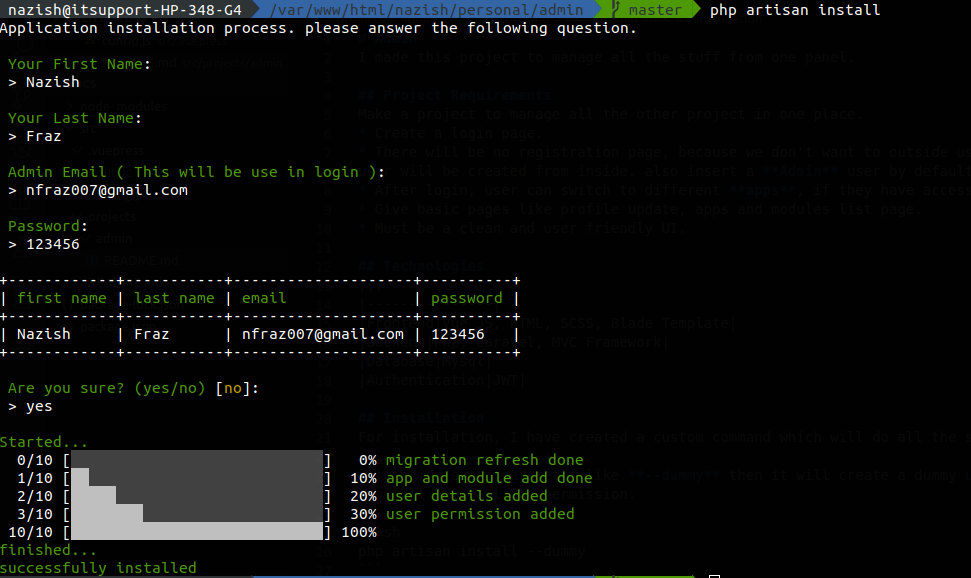
In normal installation, it will ask for first_name, last_name, email, password. if you provide everything it will create this user, assign all the permission to this user, and make this software ready to use.
php artisan install
# Dummy
If you are lazy like me, then you can pass extra parameter --dummy. It will automatically create a user with these details
php artisan install --dummy

| First Name | Last Name | Password | |
|---|---|---|---|
| John | Doe | admin@gmail.com | 123456 |
# Software Architecture
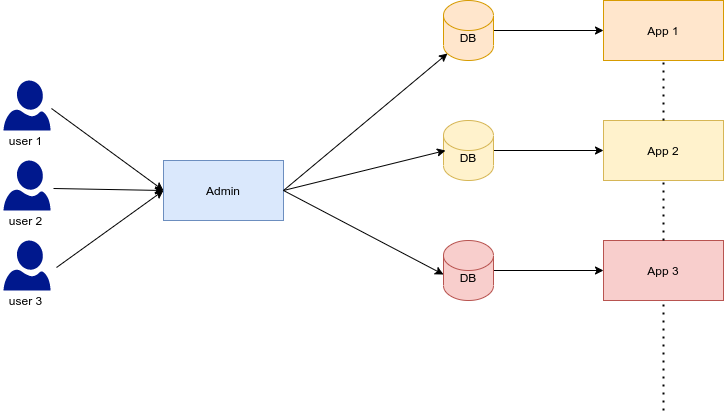
- Multiple users can be login within the system.
- User be assigned with the permission to access the apps and the modules.
- Separate apps are having a separate database, Admin panel with connect with their database, and manipulate the DB.
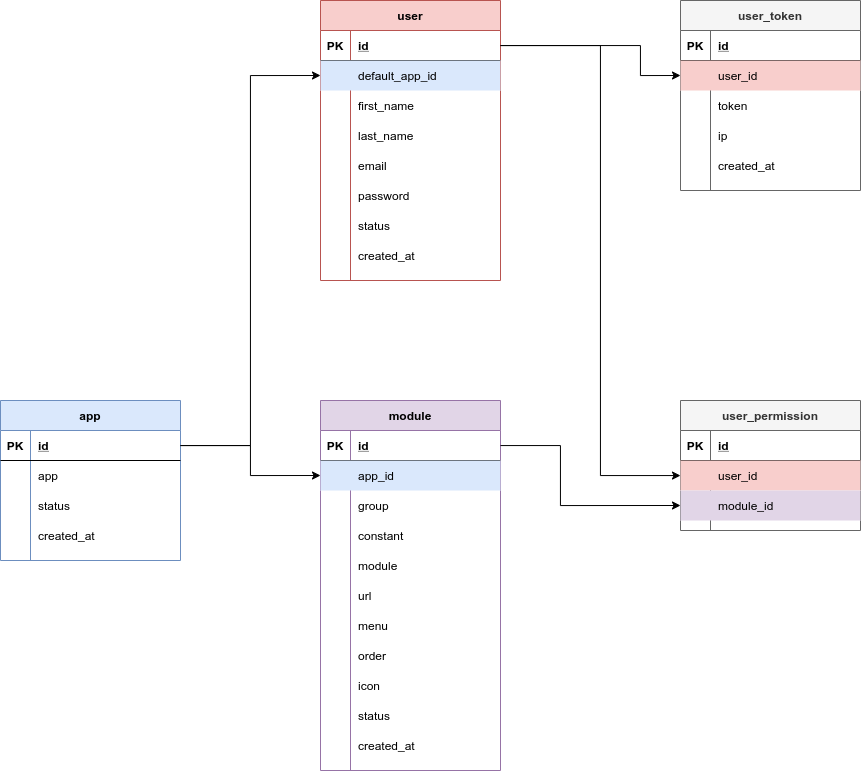
# Database Design
# Snapshots
# Login Page
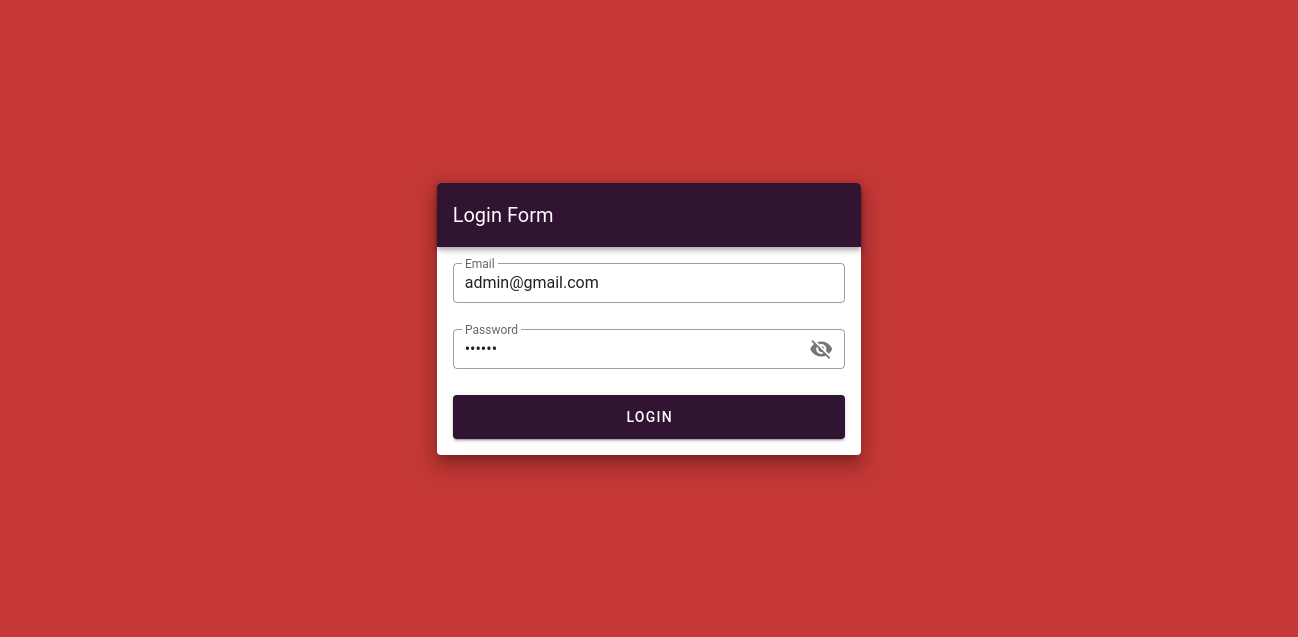
There are two fields, email and password. if both will be correct then you will be able to go to the inside otherwise it will through error.
# User List Page
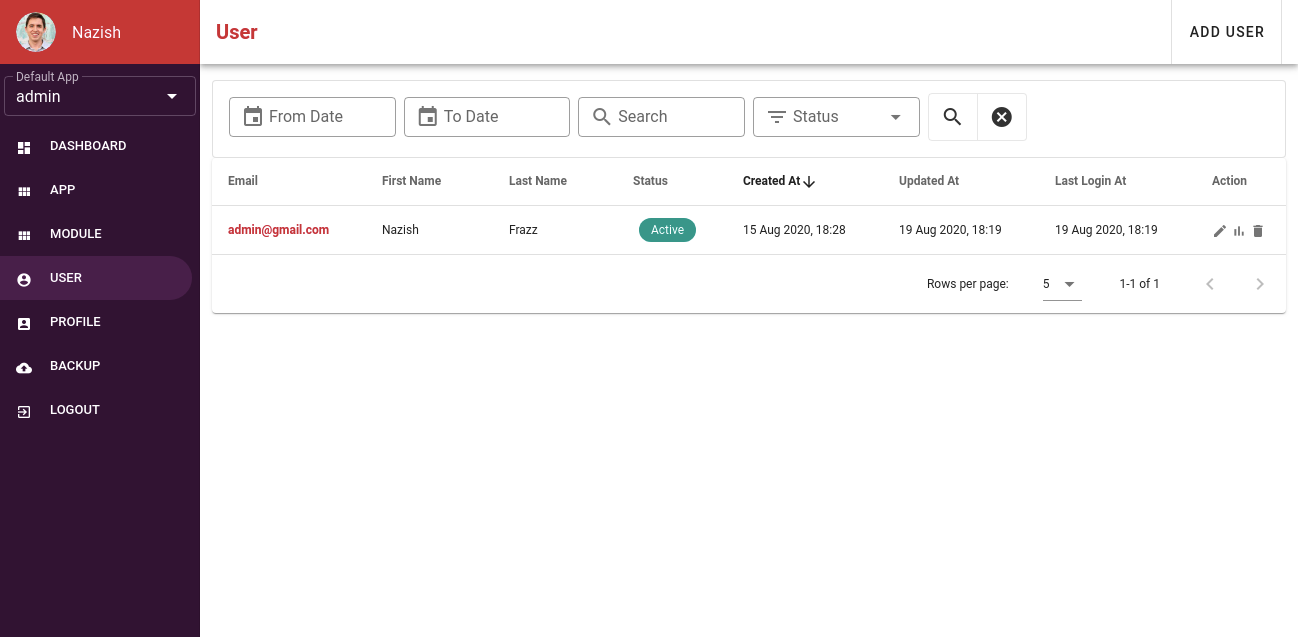
After Login, let's go to the user's list page. As you can see there is a sidebar, which is fully based on your permission. there is a dropdown for the default app. you can select the different app and move to that app.
In all the listing page, you will see the filter option. pagination, searching, ordering the column. All these things are request based. means data is not coming in one shot. default pagination is 10 data in one page. so only 10 data is coming on this page, which makes this listing page very fast.
# User Detail Page
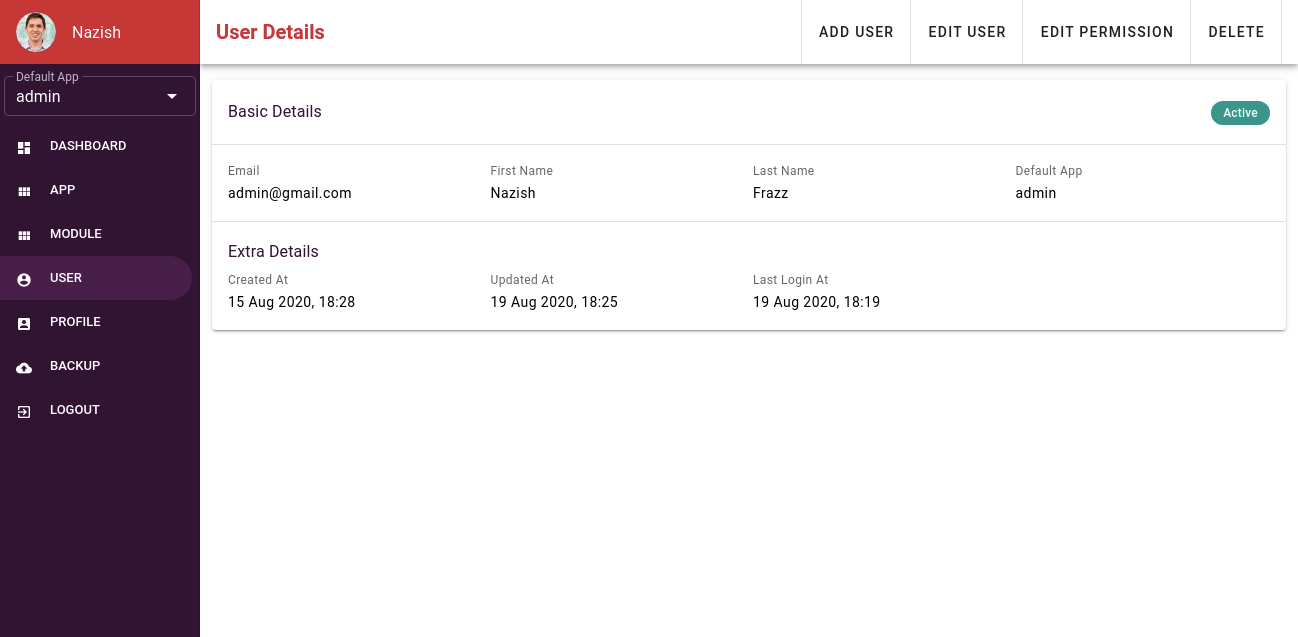
A very nice and clean for detail page as well.
# User Permission Update page
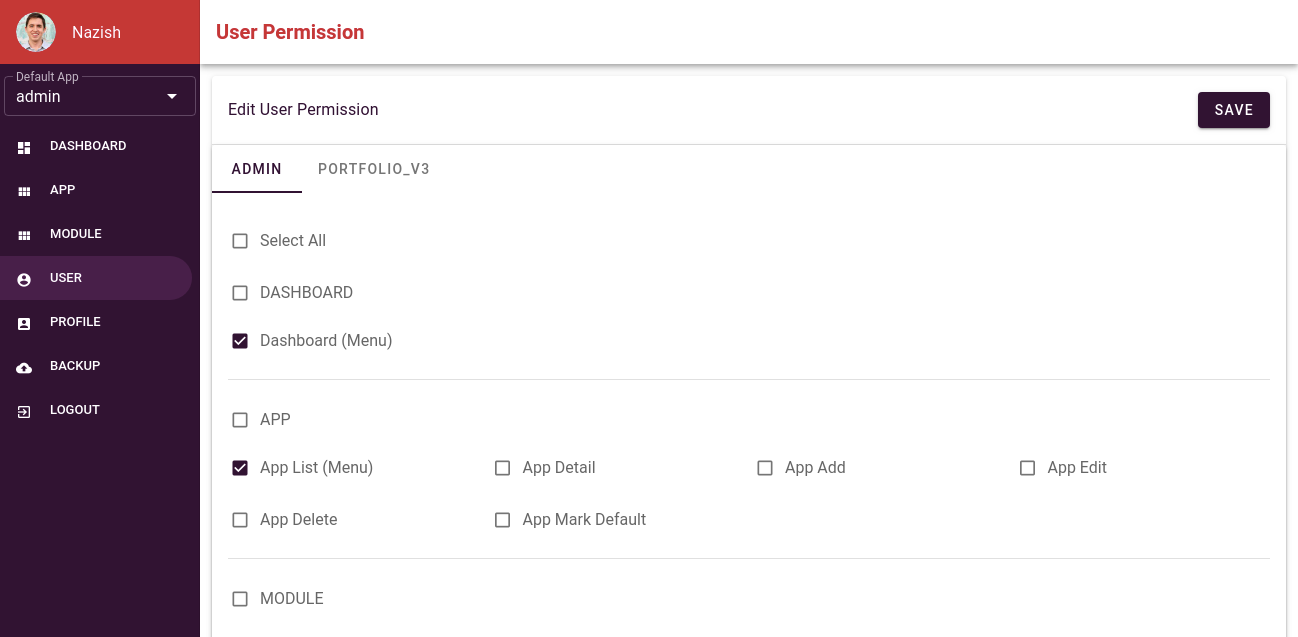
In the tab, there are multiple apps. So whatever permission will be assigned toa user you can modify from here.
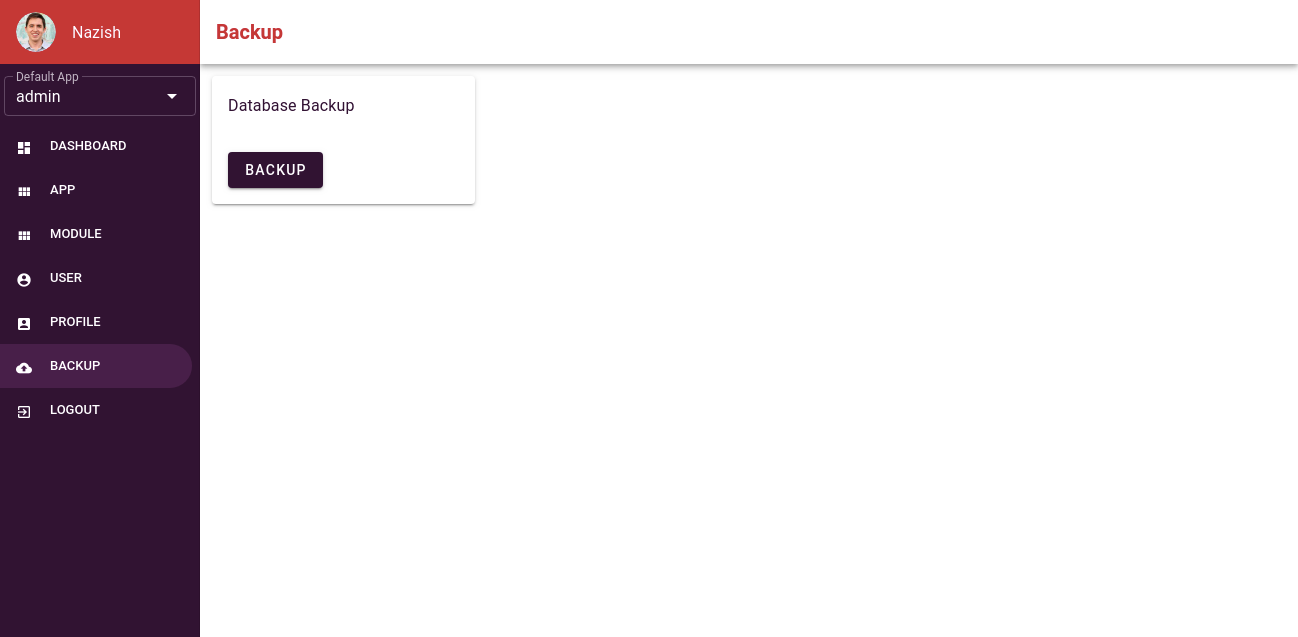
# Backup Page
There is a page from where we can take the backup of all the database which is connected to this portal.
When we will click on the backup button, it will automatically take the backup and put it in the google drive